TL;DR — The Dynamics 365 upgrade process follows Microsoft’s One Version model: regular service updates that keep all Finance and Operations customers on the same application version. Your team’s practical work involves assessing customizations, refactoring code from overlays to extensions, setting up a sandbox, migrating data, and running phased testing before go-live. AX 2012 to D365 is a different conversation — it is a full reimplementation, not an update — and this guide covers both paths with the steps, tools, and decisions that determine whether your upgrade stays on schedule.
What the Dynamics 365 Upgrade Process Actually Involves
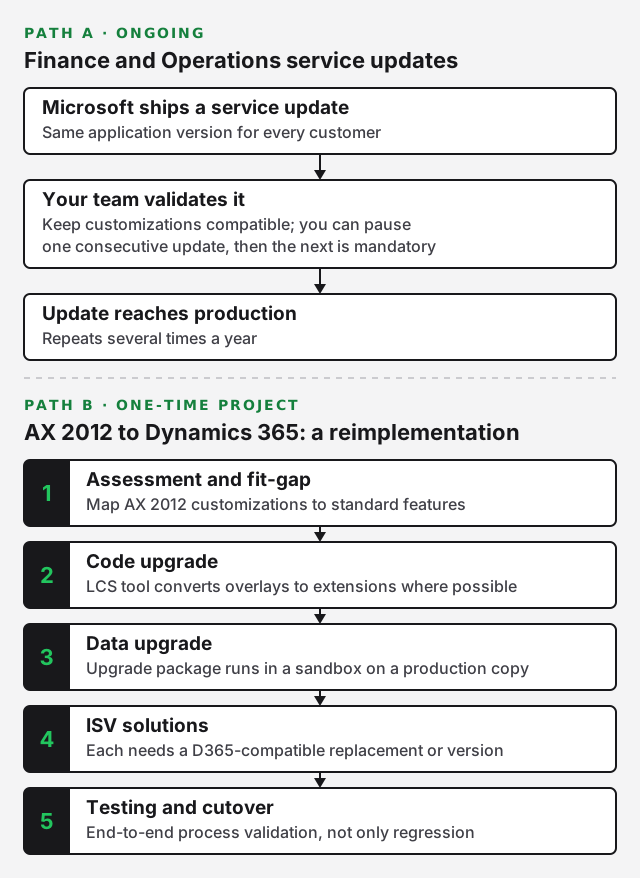
The process depends on which product you run and where you are starting from. For Dynamics 365 Finance and Operations, Microsoft delivers service updates on a regular schedule under its One Version policy. All customers run the same application version, and Microsoft manages the platform and financial reporting layers automatically. Your team’s job is to keep customizations compatible and validate each update before it reaches production.
For Business Central, the model is similar — Microsoft pushes minor and major updates on a set calendar, and partners help customers adopt them on schedule. For on-premises products like Dynamics AX 2012, there is no incremental upgrade path. Moving to Dynamics 365 means a migration: a full implementation project with data conversion, ISV solution replacement, and often redesigned business processes.
One Version: How Microsoft Delivers Updates
Microsoft’s One Version policy, documented on Microsoft Learn, means that all Finance and Operations environments receive the same application binary at the same time. Microsoft releases service updates multiple times per year. Customers can pause one consecutive update, but after that, the next update is mandatory. This keeps every environment within one version of the latest release.
Platform updates — infrastructure and tooling changes — ship with service updates and are applied automatically. Microsoft also handles financial reporting updates without partner involvement. What your team controls is the application layer: custom code, ISV solutions, and integrations that sit on top of the standard platform.
This model is a significant shift from AX 2012, where customers chose if and when to install cumulative updates. With One Version, the question is not whether to upgrade but how to validate each update efficiently before it reaches your production environment.
AX 2012 to D365: Migration, Not Upgrade
Moving from Dynamics AX 2012 to Dynamics 365 Finance and Operations is not an upgrade in the traditional sense. It is a reimplementation. AX 2012 R3 and Dynamics 365 share a codebase heritage, but the architectures differ in meaningful ways — cloud hosting, the extension-only customization model, and the removal of overlayering all require code and process changes.
The migration path typically involves these phases:
- Assessment and fit-gap — Map AX 2012 customizations to standard D365 features. Many AX 2012 customizations were workarounds for gaps that D365 now closes natively. Review each one before deciding to rebuild it.
- Code upgrade — Microsoft provides a code upgrade tool in Lifecycle Services (LCS) that analyzes your AX 2012 code, identifies overlays, and converts them to extensions where possible. Code that cannot be extended must be redesigned.
- Data upgrade — AX 2012 data is brought forward through an upgrade package that transforms the database schema. This runs in a sandbox environment on a copy of your production database.
- ISV solutions — Each AX 2012 ISV solution needs a D365-compatible replacement or version. Some vendors offer direct ports; others require new licensing or reconfiguration.
- Testing and cutover — Because business processes may change during migration, testing is more extensive than a version-to-version update. Plan for end-to-end process validation, not just regression testing.
This is fundamentally a new implementation with the benefit of carrying forward your historical data. Budget and plan accordingly — treat it as a project measured in months, not days.
Pre-Upgrade Planning and Assessment
Pre-upgrade planning is where most outcomes are determined. The teams that succeed start with a detailed inventory of what they have — custom code, integrations, ISV solutions, and data — then map each item to a specific action in the upgrade plan. Skip this step and you will discover problems during testing, when they are expensive to fix.
Evaluating Your Customizations
Start with a complete customization inventory. Every modification to your system — whether it is a custom field, a modified form, a new report, or a third-party ISV solution — needs to be documented and assessed against the target version.
For AX 2012 migrations, the LCS code upgrade analysis tool processes your codebase and categorizes each element. Some customizations convert to extensions cleanly. Others need rework. A small number may be obsolete because standard D365 now handles the requirement natively.
For existing D365 customers evaluating a service update, review the release notes Microsoft publishes with each wave. The Dynamics 365 release plans describe new features, deprecated functionality, and breaking changes. Your development team should review these before each update to identify potential conflicts with custom code.
Integrations deserve special attention. Any integration that depends on specific API behavior, field names, or data structures may break if the update changes those elements. Document each integration endpoint and its dependencies so your testing plan covers them explicitly.
Data Readiness and Cleanup
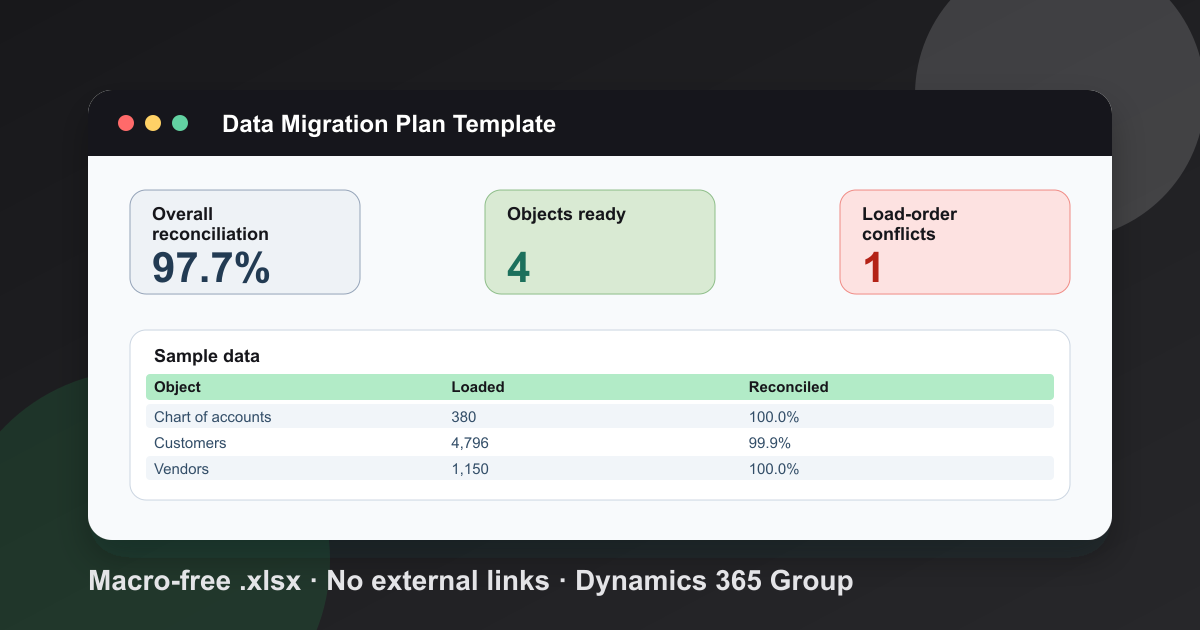
Data quality directly affects upgrade timeline and risk. Before a migration or major upgrade, clean your data. Remove inactive records, archive historical transactions that do not need to move, and resolve data integrity issues. This reduces the volume of data being processed during the upgrade and improves post-upgrade performance.
For AX 2012 to D365 migrations, the data upgrade process copies your production database to a sandbox and runs an upgrade package against it. The cleaner and smaller your database, the faster this runs. Large databases with years of accumulated data take longer to upgrade, and issues surface more slowly when there is more data to validate.
For Business Central upgrades, Microsoft’s data upgrade runs through the admin center. Partners can schedule the upgrade and run data conversion scripts as part of the tenant update process.
Development and Sandbox Environments
Your development and sandbox environments are where the upgrade is built and validated. Getting these right means fewer surprises in production. Microsoft provides environment management through Lifecycle Services (LCS) for Finance and Operations, and through the admin center for Business Central.
Configuring Development Tools
For Finance and Operations development, you need Visual Studio with the X++ development tools and access to a development VM provisioned through LCS. Microsoft provides cloud-hosted development environments that you deploy from your LCS project. You can also set up a local development VHD, though cloud-hosted VMs are the standard approach.
Each developer works in their own environment and uses source control to manage changes. Azure DevOps, integrated with LCS, handles build automation, package management, and deployment across environments. Set up your branch structure early — typically a main branch for stable code, a development branch for active work, and feature branches for individual changes.
For Business Central, development uses Visual Studio Code with the AL Language extension. Extensions are built as packages and published to sandbox environments for testing before deployment to production.
Sandbox Testing Strategy
Your sandbox environment should mirror production as closely as possible. For Finance and Operations, this means a Tier 2 or higher sandbox hosted in Azure with the same configuration as your production environment. Microsoft provides several environment tiers through LCS, and your LCS project determines what you can provision.
Deploy a copy of your production database to the sandbox before each upgrade cycle. This gives testers realistic data volumes and distributions to work with. Run the data upgrade package against this copy so you catch schema issues before they reach production.
Structure your testing in phases:
- Developer testing — Developers validate their own changes in a dev environment before promoting code.
- Functional testing — Business users execute core process flows (order-to-cash, procure-to-pay, plan-to-produce) to confirm nothing has broken.
- Integration testing — Validate every external integration: e-commerce, third-party logistics, reporting tools, and any custom middleware.
- Performance testing — Run critical batch jobs and heavy workloads to catch regressions. A new version can change query behavior and indexing in ways that affect performance.
- User acceptance testing (UAT) — Key users sign off on the update in the sandbox before it is promoted to production.
Executing the Code Upgrade
The code upgrade converts your customizations to the target version. For AX 2012 migrations, the LCS code upgrade tool processes your model store and produces output that can be compiled in the D365 development environment. Review the tool’s output carefully — it flags code that needs manual intervention, including deprecated APIs and logic that no longer applies.
For existing D365 customers, the code upgrade is lighter. Because the platform uses an extension-only model, your customizations are already decoupled from the standard application code. The main work is confirming that extensions still compile and function correctly with the new application version. Microsoft publishes compatibility information with each release so you can identify affected areas before you start.
Refactoring overlays to extensions is a priority during any upgrade cycle. If you still have overlayered code from an older implementation, each upgrade cycle is an opportunity to move that code into extensions. Extensions are more resilient to platform changes because they do not modify the base application directly. The more overlays you eliminate, the faster each future upgrade becomes.
ISV solutions need version verification. Each ISV vendor certifies their solution against specific D365 versions. Confirm with your vendors that their current release is compatible with the target version before you schedule the upgrade. Running an uncertified ISV solution creates risk that is difficult to diagnose in production.
Running the Data Upgrade
The data upgrade transforms your database schema to match the new application version. For AX 2012 migrations, this is a significant step. Microsoft provides a data upgrade process that runs scripts against a copy of your production database in a sandbox environment.
The process runs in phases: pre-processing, the main data upgrade, and post-processing. Pre-processing identifies and resolves data issues that would block the upgrade. The main data upgrade step modifies the schema and transforms the data. Post-processing runs cleanup and optimization tasks to finalize the upgraded database.
Run the data upgrade at least twice during your project. The first run identifies issues — failed scripts, data conflicts, performance bottlenecks. The second run, on a fresh copy of production, validates that those issues are resolved and gives you a realistic time estimate for the production cutover.
For Business Central, the data upgrade runs as part of the tenant update process. Partners can write pre-upgrade and post-upgrade AL code units to handle custom data transformations specific to the organization’s modifications.
Testing and Validation
Testing is the longest phase of any upgrade project. The goal is not to prove that the new version works — Microsoft has already tested that. The goal is to prove that your specific configuration, customizations, and integrations work together after the update. Every environment is unique, and only your team knows what matters to your business.
Test Planning
Build a test plan that covers every critical business process. Start with the processes that generate revenue — order processing, invoicing, shipping — and work outward to support functions. Document each test case with input data, expected results, and the person responsible for executing it. My free UAT test plan template tracks each scenario, retest and defect by business process.
Prioritize by business impact. A broken approval workflow is more urgent than a cosmetic issue on a rarely-used form. Rank your test cases and work through them in priority order so that if testing time runs short, the most critical processes are validated first.
Regression Testing and Automation
Regression testing confirms that existing functionality still works after the upgrade. This is where a documented set of test cases pays off. If you have maintained test scripts from previous projects, reuse and update them. If not, build them now — they become an asset for every future update.
Automated testing reduces the manual effort required for each cycle. The Regression Suite Automation Tool (RSAT) lets you record business process flows and replay them automatically after each update. Building an automated regression suite takes initial investment, but it shortens testing time for every subsequent update. For organizations on One Version, where updates arrive regularly, this investment compounds quickly.
Go-Live and Post-Upgrade Support
Go-live is the point where the upgraded system becomes your production environment. For service updates under One Version, Microsoft applies the update to your sandbox first. You validate it there, then approve the update for production. Microsoft applies it during your scheduled maintenance window.
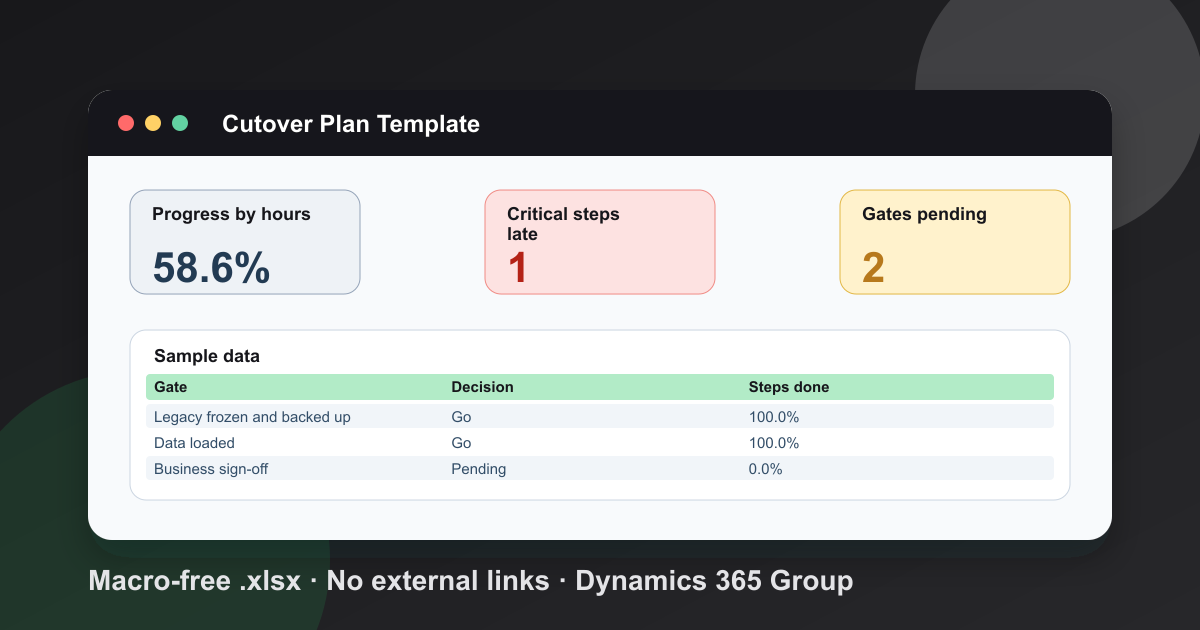
For AX 2012 migrations, go-live is a cutover event. You stop transaction processing in AX 2012, run a final data upgrade against a fresh copy of production, validate critical processes, and open the D365 environment to users. Plan the cutover weekend carefully with a runbook that lists every step, its owner, the expected duration, and the rollback criteria if something goes wrong.
After go-live, have a support team on standby for at least one full business cycle. Users will encounter new behaviors, and some issues will only surface under production load. A rapid response team — developers, functional consultants, and business analysts — can resolve issues before they affect daily operations.
Schedule a hypercare period for the first few weeks after go-live. During this time, prioritize issue resolution over new development. Collect user feedback systematically so you can identify training gaps and process changes that need attention. This is also when you document what worked and what did not, so the next upgrade cycle runs more smoothly.
Common Upgrade Pitfalls
Several recurring problems cause upgrade delays and budget overruns. Being aware of them helps you plan around them before they become costly.
Underestimating AX 2012 migration scope. Teams sometimes treat an AX 2012 to D365 move as a technical upgrade when it is really a reimplementation. The code upgrade tool handles the code, but business processes, integrations, and reporting all need review. Plan for a full implementation methodology, not a technical lift-and-shift.
Neglecting integration testing. Integrations fail more often than core ERP functionality during upgrades. External systems depend on specific behaviors that can change between versions. Test every integration endpoint, including the ones that have historically had no issues.
Insufficient sandbox data. Testing with a small or sanitized database hides performance and data volume problems. Use a copy of production data so your testing reflects real conditions and catches issues that only appear at scale.
Skipping release notes. Microsoft publishes detailed release notes with each update wave. Teams that skip reading them miss breaking changes, deprecated features, and new capabilities that affect their configuration. Make release note review a standard first step in every upgrade cycle.
No automated regression suite. Without automated testing, every service update requires full manual regression testing. This is expensive and inconsistent. Build a regression suite incrementally with RSAT so that by your third or fourth update, most testing runs automatically.
Frequently Asked Questions
How long does a Dynamics 365 upgrade take?
For a standard service update under One Version, sandbox validation typically takes a few weeks before production deployment. For an AX 2012 to D365 migration, the project timeline depends heavily on customization complexity, data volume, and process redesign scope — plan for a full implementation effort.
What is the difference between a service update and a platform update?
A service update includes application features and platform changes together. A platform update covers infrastructure and tooling only and is applied automatically by Microsoft. Under One Version, service updates are the primary mechanism for receiving new features.
Can I skip a Dynamics 365 service update?
You can pause one consecutive service update under the One Version policy documented on Microsoft Learn. After that, the next update is mandatory. This gives you flexibility to schedule around busy periods without falling too far behind.
Do I need to update my custom code for every service update?
In most cases, no. Because D365 uses an extension-only model, your customizations are decoupled from the standard application. You need to recompile and test, but code changes are typically only needed when Microsoft changes an interface your extension depends on. Review the release notes to identify those cases.
What is LCS and why do I need it?
Lifecycle Services (LCS) is Microsoft’s project management and environment administration portal for Dynamics 365 Finance and Operations. You use it to provision environments, deploy packages, run the code upgrade tool, and manage updates. It is the central hub for every upgrade activity.
How do I choose a partner for my Dynamics 365 upgrade?
Look for a partner with proven experience in your industry and specific Dynamics 365 product. Ask for references from similar projects and verify their methodology covers assessment, development, testing, and post-go-live support. Learn more about selecting a Microsoft Dynamics 365 partner or explore our Dynamics 365 upgrade services.
Frequently Asked Questions
How long does a Dynamics 365 upgrade take?
For a standard service update under One Version, sandbox validation typically takes a few weeks before production deployment. For an AX 2012 to D365 migration, the project timeline depends heavily on customization complexity, data volume, and process redesign scope—plan for a full implementation effort.
What is the difference between a service update and a platform update?
A service update includes application features and platform changes together. A platform update covers infrastructure and tooling only and is applied automatically by Microsoft. Under One Version, service updates are the primary mechanism for receiving new features.
Can I skip a Dynamics 365 service update?
You can pause one consecutive service update under the One Version policy documented on Microsoft Learn. After that, the next update is mandatory. This gives you flexibility to schedule around busy periods without falling too far behind.
Do I need to update my custom code for every service update?
In most cases, no. Because D365 uses an extension-only model, your customizations are decoupled from the standard application. You need to recompile and test, but code changes are typically only needed when Microsoft changes an interface your extension depends on. Review the release notes to identify those cases.
What is LCS and why do I need it?
Lifecycle Services (LCS) is Microsoft's project management and environment administration portal for Dynamics 365 Finance and Operations. You use it to provision environments, deploy packages, run the code upgrade tool, and manage updates. It is the central hub for every upgrade activity.
How do I choose a partner for my Dynamics 365 upgrade?
Look for a partner with proven experience in your industry and specific Dynamics 365 product. Ask for references from similar projects and verify their methodology covers assessment, development, testing, and post-go-live support.
Free tool
Calculate Your Dynamics 365 Migration ROI
See how much you could save with a free, instant ROI estimate. No signup required.